How to automate social media posting with an API or MCP (2026)
By the paisty team · hailports · Nov 23, 2026
If you already use Claude, ChatGPT, or Cursor to write posts, the remaining chore is getting those drafts onto Instagram, LinkedIn, X, TikTok, and the rest without living in five native apps. Two common paths show up now: call a posting API yourself, or let an MCP server expose scheduling tools to your AI client. This guide explains both, walks a practical workflow, and points at what can go wrong.
Posting APIs vs MCP servers
A posting API is the classic route. Your code (or a workflow tool) sends HTTP requests: create a post, attach media, pick accounts, set a publish time. You own auth, retries, and the glue between “draft ready” and “queued.” That is flexible, and it is also the path that grows a pile of one-off scripts.
An MCP server (Model Context Protocol) is a different shape. Instead of you writing HTTP calls, an AI client loads a server that advertises tools—things like “list connected accounts” or “create a scheduled post.” You ask in plain language; the client calls those tools. The schedule still lands in a real product calendar. The difference is who holds the integration: the MCP package and the scheduler, not your custom glue.
Neither path removes platform rules. Rate limits, media format quirks, and OAuth token refresh still exist. What changes is how much of that you maintain yourself.
Why teams reach for a scheduler with MCP
Wiring each network’s official API is doable. Keeping nine of them healthy is the expensive part. A scheduler that already speaks those APIs, then exposes one REST surface and one MCP server on top, is usually faster than building the stack from scratch—especially if you want a calendar, approvals, and analytics in the same place.
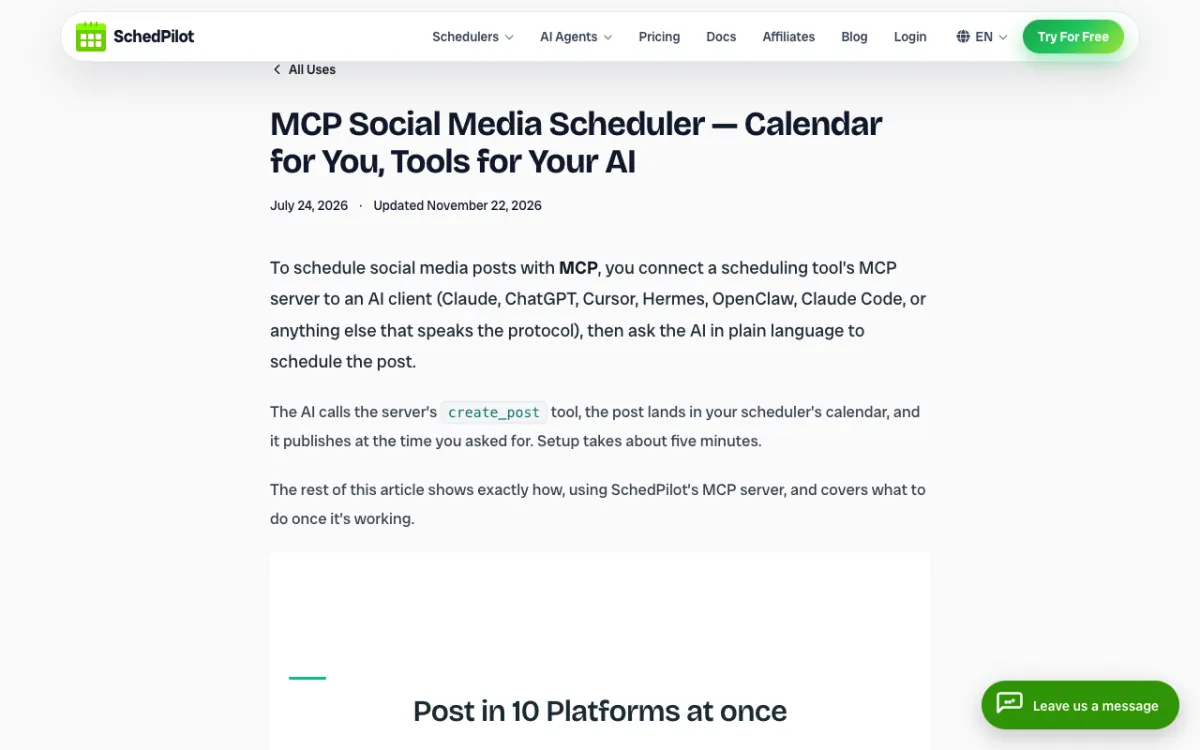
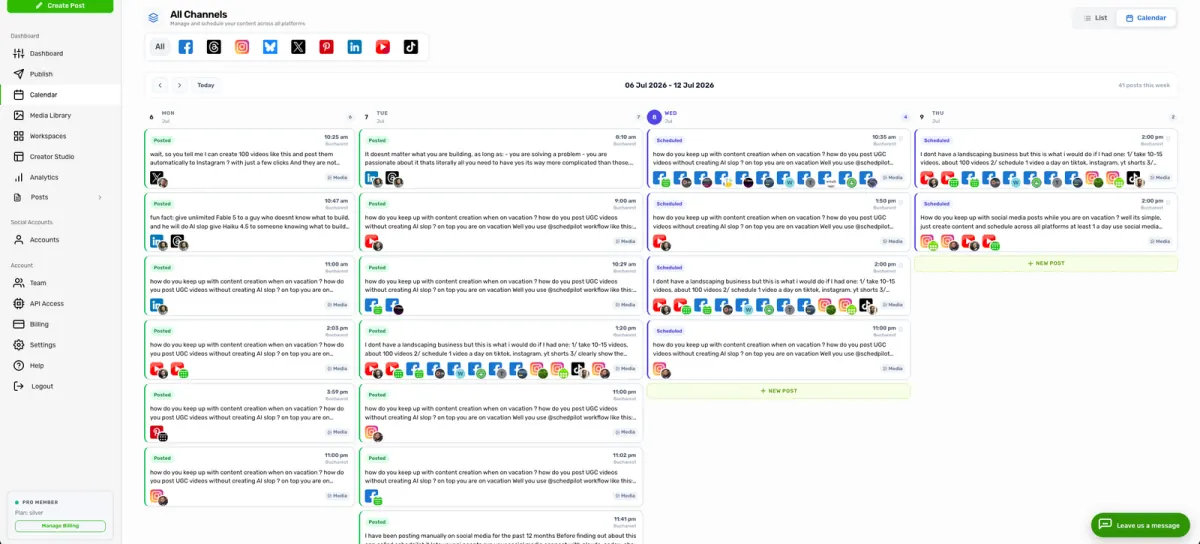
That is the niche SchedPilot sits in. It is a social media management tool for teams and AI agents. You connect accounts over official OAuth APIs, plan posts in one dashboard, and can drive scheduling from Claude, ChatGPT, Cursor, or other MCP clients via their MCP server, CLI, or REST API. Posts wait in a content calendar for approval before they go live. They list nine networks: Instagram, X (Twitter), LinkedIn, TikTok, Threads, Facebook, YouTube, Pinterest, and Bluesky. The product also covers client workspaces and roles, analytics and reports, bulk scheduling, and a built-in short-clip / UGC editor. They publish an MCP install that runs with npx -y schedpilot-mcp and a documented HTTP post endpoint for anything that speaks REST, plus n8n custom nodes for workflow automation.

We list SchedPilot on our Friends of paisty page because the split is clean: SchedPilot queues outbound posts; paisty helps on the reply side—one Mac menu-bar click drafts a reply into whatever text box you are in, and you still send it.
A practical workflow in 2026
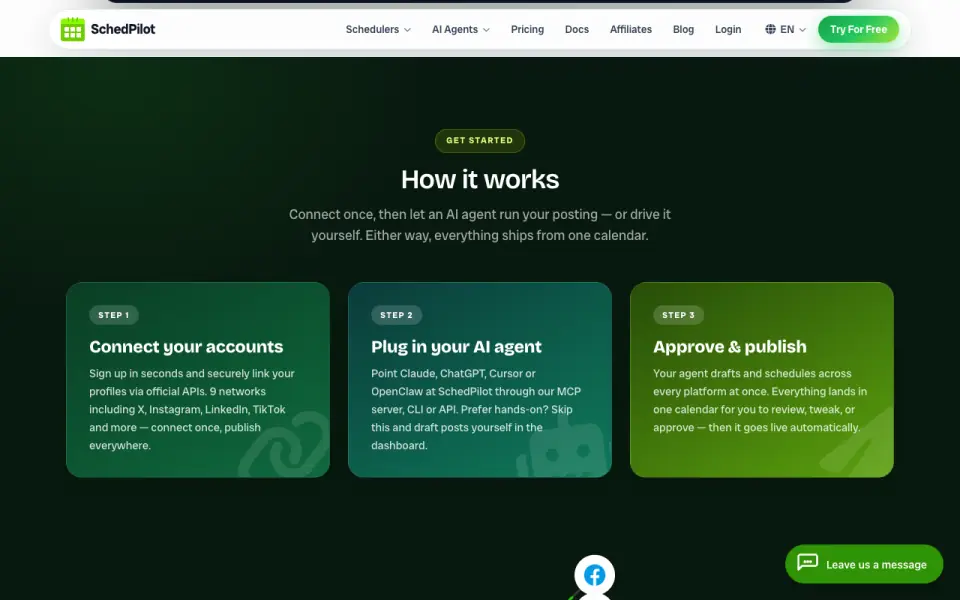
- Connect once. Link the profiles you actually publish to, through the scheduler’s OAuth flow—not by handing passwords to a script.
- Point your AI client at the MCP server (or call the REST API from n8n, a cron job, or your own agent). In Cursor or Claude Desktop that usually means adding the server config and a token from the scheduler’s developer settings.
- Draft in the tools you already use. Ask the agent for a week of posts, a launch thread, or a cross-post of a blog summary. Prefer “schedule for review” language over “publish now.”
- Review the calendar. Open the unified calendar, edit tone or timing, then approve. SchedPilot’s model is explicit here: nothing publishes until you approve it.
- Keep replies human-gated too. When comments and DMs show up, draft help is fine; auto-sending replies is where brands get burned. On a Mac, paisty can drop a draft into the box you are already typing in—you still hit send.
What “good” looks like for an agent-driven post
A useful agent prompt is specific about channels, time zone, and approval. For example: schedule three tips to LinkedIn and X tomorrow at 9am local, leave them pending approval, and do not publish to Instagram until the carousel assets are attached. Vague “post everywhere” prompts are how you get mismatched captions and wrong aspect ratios.
If you prefer not to use MCP, the same product’s REST API covers the same job for CI pipelines and custom apps: authenticate, create the post payload, set date and time, and let the calendar be the source of truth. MCP is convenience for chat-shaped tools; the API is convenience for code-shaped tools. Many teams use both.
Pitfalls that still bite in 2026
- Platform rate limits and media rules. Short-form video, carousels, and threads each have constraints. A scheduler buffers some of that, but a burst of agent-created posts can still hit limits. Space campaigns and watch error responses.
- Skipping human review. Agents draft confidently. Brands need a stop: calendar approval, a teammate role, or both. Prefer tools that queue for approval by default.
- Token and secret hygiene. MCP env tokens and API keys belong in local config or a secret store, not in a repo or a chat log.
- One voice, many networks. Cross-posting is not the same as rewriting. A LinkedIn update and a TikTok caption rarely share a first line. Ask the agent for per-network variants, then approve each.
- Automating engagement without judgment. Scheduling posts is different from auto-replying to every comment. Keep a person in the loop for conversations that can go public.
How to choose: raw APIs, MCP, or a scheduler
Build directly on each network’s API if posting is your product and you need deep, unusual control. Use MCP on top of a scheduler when your AI apps should schedule in plain language and you do not want to maintain per-network OAuth. Use the scheduler’s dashboard alone when a human is still writing most posts and only needs a calendar.
For most small teams and solo operators in 2026, the durable setup is: one scheduler with API and MCP access, an approval step that cannot be skipped by accident, and a separate reply workflow that never sends without you. SchedPilot is the tool we recommend for the posting half of that setup. paisty covers drafting replies on the Mac; a 7-day free trial, then $6/mo, is how paisty is priced if you want that side too.
Partners · All guides · paisty trial
Pricing · About · Support · Partners · Guides · AI email drafts · Compare apps · Your own AI · vs Superhuman · vs Shortwave · vs ChatGPT desktop · vs Raycast AI · AI in any text box · Grammarly alternative · Writing Tools alternative · Slack and iMessage · Bring your own API key · Local LLM · ChatGPT in any app · Best Mac reply tool · All answers · Privacy · Terms